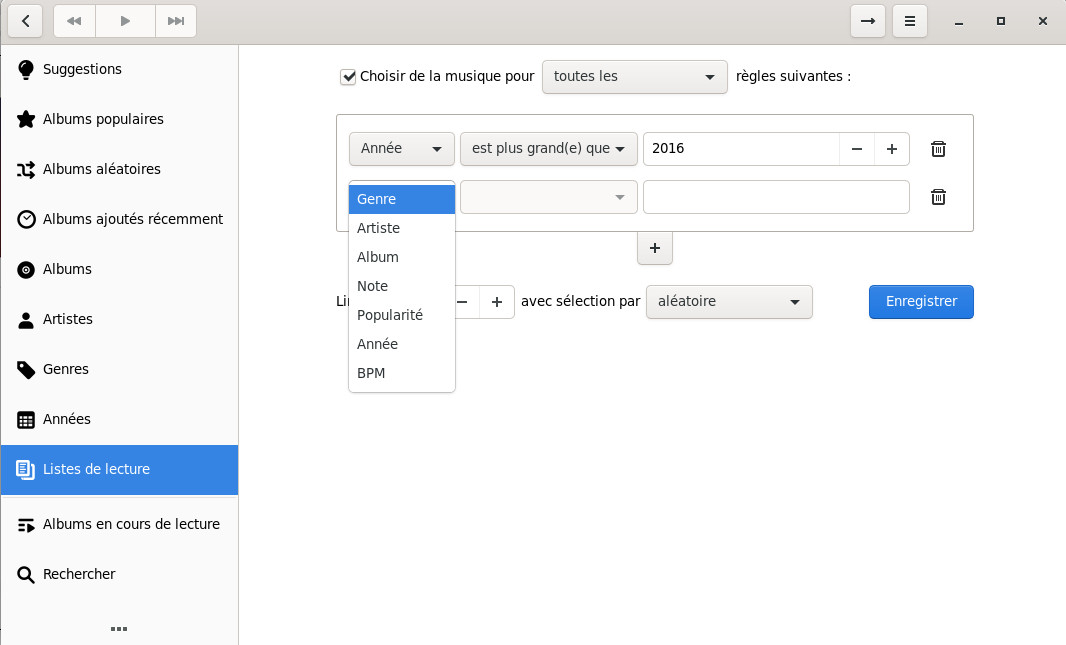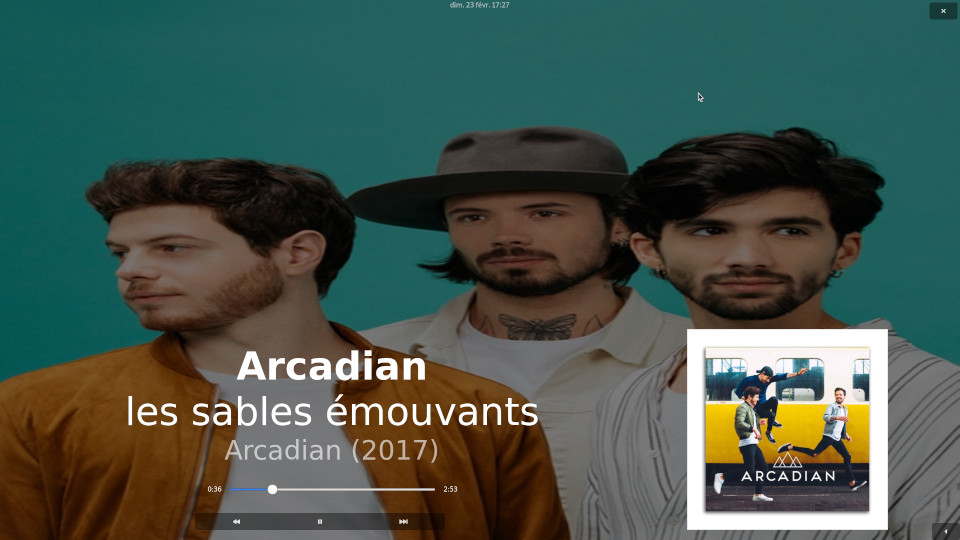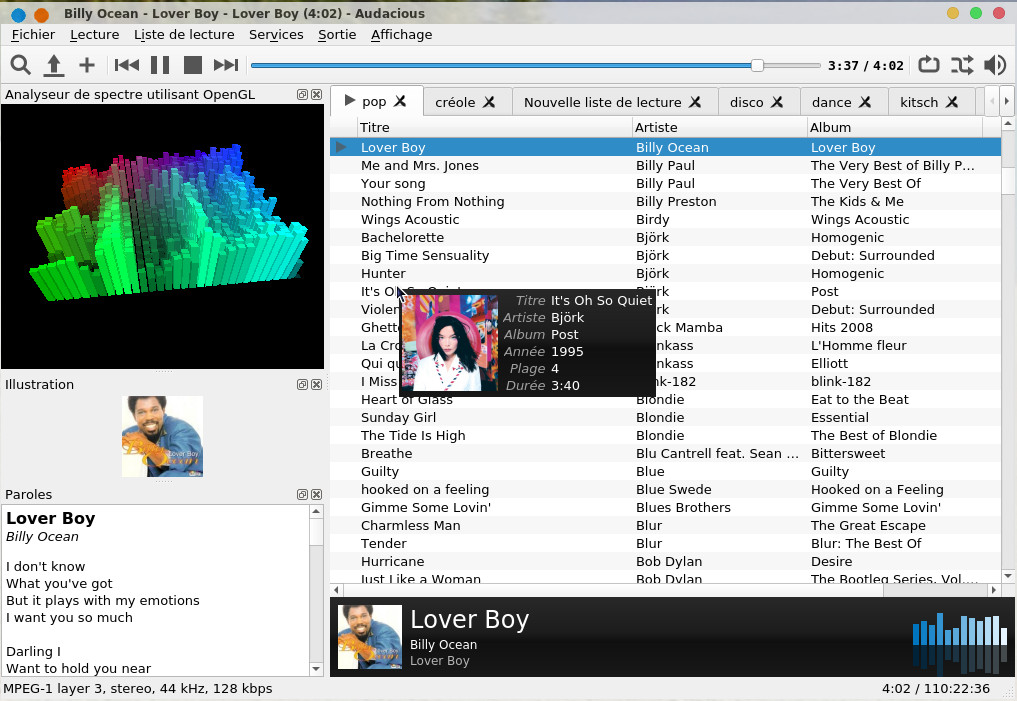
[ Présentation | Outils orientés audio ( Audacious , Clementine
, lollypop ) | Karaoke ( pyKaraoke
, dmidiplayer , Kodi , OSD Lyrics ) )]
Configuration
D-Bus support
:
true
Qt 5 support
:
false
Qt 6 support
:
true
GTK 2 support
:
false
GTK 3 support
:
true
Libarchive support
: true
Valgrind analysis support: true
Build stamp
:
unknown build
User defined options
libarchive
:
true
valgrind
:
true
on tape ensuite
meson compile -C build voilà le résultat
audacious-plugins 4.6.1
Directories
Prefix
:
/usr/local
Bin dir
:
bin
Lib dir
:
lib64
Data dir
:
share
GUI Toolkits
Qt 5 support
:
false
Qt 6 support
:
true
GTK 2 support
:
false
GTK 3 support
:
true
Audio Formats
Audio CD
:
true
Free Lossless Audio Codec
:
true
Ogg Vorbis
:
true
Opus
:
true
MIDI (via FluidSynth)
:
true
MPEG-1 Layer I/II/III (via mpg123)
: true
MPEG-2/4 AAC
:
true
WavPack
:
true
External Decoders
FFmpeg
:
true
Libsndfile
:
true
Chiptunes
AdLib synthesizer (adplug)
:
false
Commodore 64 audio (sid)
:
false
Game Music Emu (spc, nsf, gbs, etc.) :
true
ModPlug
:
true
OpenMPT
:
true
Nintendo DS audio (xsf)
:
true
PlayStation audio (psf/psf2)
: true
Vortex Tracker (vtx)
:
true
Other Inputs
Metronome
:
true
Tone Generator
:
true
Effects
Background Music
:
true
Bauer stereophonic-to-binaural (bs2b):
true
Bitcrusher
:
true
Channel Mixer
:
true
Crystalizer
:
true
Dynamic Range Compressor
:
true
Echo
:
true
Extra Stereo
:
true
LADSPA Host (requires GTK)
:
true
Sample Rate Converter
:
true
Silence Removal
:
true
SoX Resampler
:
true
Speed and Pitch
:
true
Voice Removal
:
true
Outputs
Advanced Linux Sound Architecture
: true
Jack Audio Connection Kit
:
true
Open Sound System
:
true
PipeWire
:
true
PulseAudio
:
true
Qt Multimedia Output
:
true
Simple DirectMedia Layer
:
true
Sndio
:
true
Win32 waveOut
:
false
FileWriter
:
true
-> MP3 encoding
:
true
-> Vorbis encoding
:
true
-> FLAC encoding
:
true
Playlists
Cue sheets
:
false
M3U playlists
:
true
Microsoft ASX (legacy)
:
true
Microsoft ASX 3.0
:
true
PLS playlists
:
true
XML Sharable Playlist Format (XSPF)
: true
Transports
FTP, SFTP, SMB, MTP (via GIO)
: true
HTTP/HTTPS (via neon)
:
true
MMS (via libmms)
:
false
General
Ampache browser (requires Qt)
: false
Delete Files
:
true
Libnotify OSD
:
true
Linux Infrared Remote Control (LIRC) :
false
MPRIS 2 Server
:
true
Scrobbler 2.0
:
true
Song Change
:
true
Qt Support
Qt Interface
:
true
Winamp Classic Interface
:
true
Album Art
:
true
Blur Scope
:
true
File Browser
:
true
Lyrics Viewer
:
true
OpenGL Spectrum Analyzer
:
true
Playback History
:
true
Playlist Manager
:
true
Search Tool
:
true
Song Info
:
true
Spectrum Analyzer (2D)
:
true
Status Icon
:
true
Stream Tuner (experimental)
: true
VU Meter
:
true
X11 Global Hotkeys
:
true
GTK Support
GTK Interface
:
true
Winamp Classic Interface
:
true
Album Art
:
true
Blur Scope
:
true
File Browser
:
true
Lyrics Viewer
:
true
OpenGL Spectrum Analyzer
:
true
Playback History
:
true
Playlist Manager
:
true
Search Tool
:
true
Spectrum Analyzer (2D)
:
true
Status Icon
:
true
VU Meter
:
true
X11 Global Hotkeys
:
true
X11 On-Screen Display (aosd)
: true
User defined options
streamtuner
:
true
tar xvfz Clementine-1.4.1-84-ge8f3f34dd.tar.gz
cela donne le répertoire Clementine-1.4.1-84-ge8f3f34dd il faudra récupérer le répertoire .git qui a été oublié dans l'archive, on récupère la dernière version en cours de développement en tapant
git clone https://github.com/clementine-player/Clementine.git
et on copie le répertoire Clementine/.git sous Clementine-1.4.1-84-ge8f3f34dd
On revient sous Clementine-1.4.1-84-ge8f3f34dd dans lequel on tape successivement
mkdir build
il faudra sans doute installer préalablement les packages glew-devel,
lib64boost-devel, lib64qt5network-devel, lib64qt5x11extras-devel,
lib64qt5opengl-devel,
lib64qt5test-devel, lib64qt5concurrent-devel, lib64qt5xml-devel,
lib64qt5help-devel, lib64fftw-devel, protobuf-devel,
lib64gmock-devel, lib64sparsehash-devel, sqlite3-devel et lib64mtp-devel
Building Clementine version: 1.4.1-84-ge8f3f34dd
The following components will be built:
ALSA integration
Box support
D-Bus support
Devices: Audio CD support
Devices: GIO device backend
Devices: MTP support
Devices: UDisks2 backend
Devices: iPod classic support
Dropbox support
Google Drive support
Moodbar support
Pulse audio integration
Seafile support
Skydrive support
Visualisations
Wiimote support
The following components WILL NOT be built:
Crash reporting (disabled in CMake config)
Last.fm support (missing liblastfm)
Sparkle integration (missing macOS, Sparkle)
Translations (missing Qt5LinguistTools)
-- Configuring done (5.2s)
-- Generating done (0.4s)
-- Build files have been written to:
/home/olivier/compilation/linux/multimedia/Clementine-1.4.1-84-ge8f3f34dd/build
on tape make, puis en tant que root make install
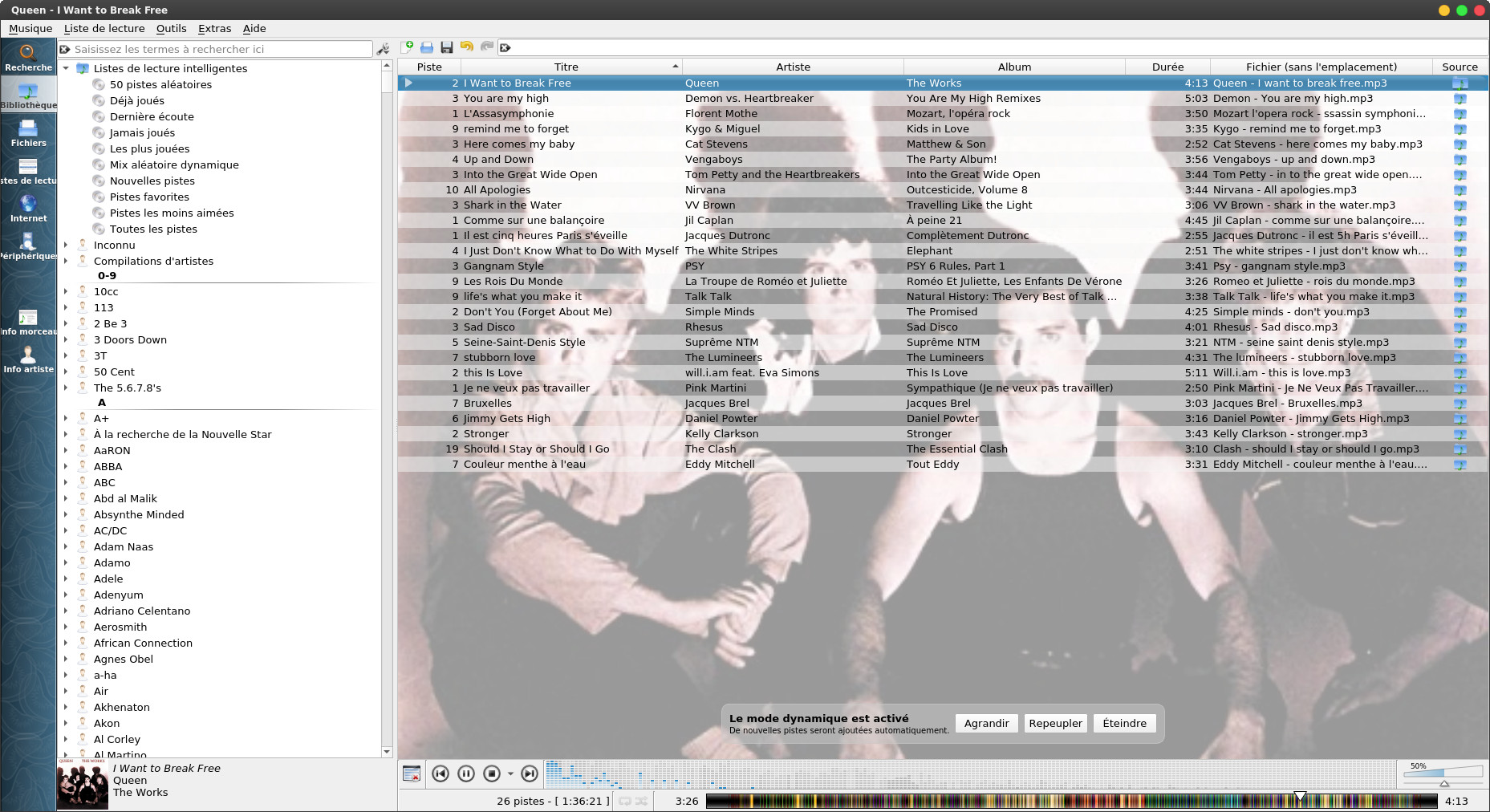
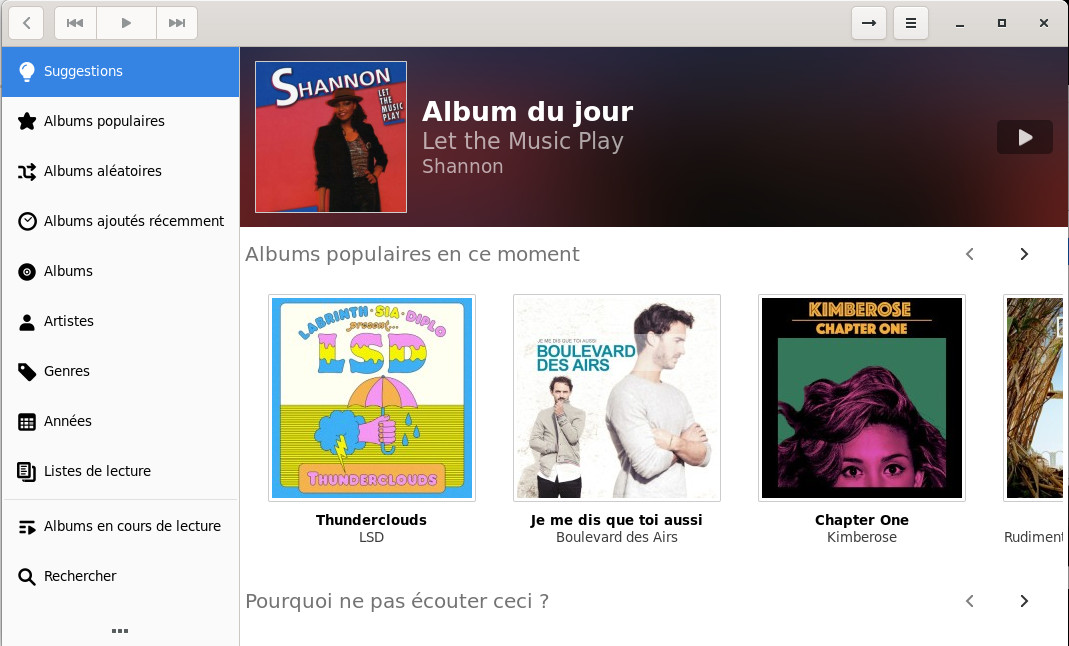
voilà l'interface, je vous laisse découvrir sur le site officiel le manuel d'utilisation, mais d'emblée c'est très intuitif. Le mode biographie ci-dessous
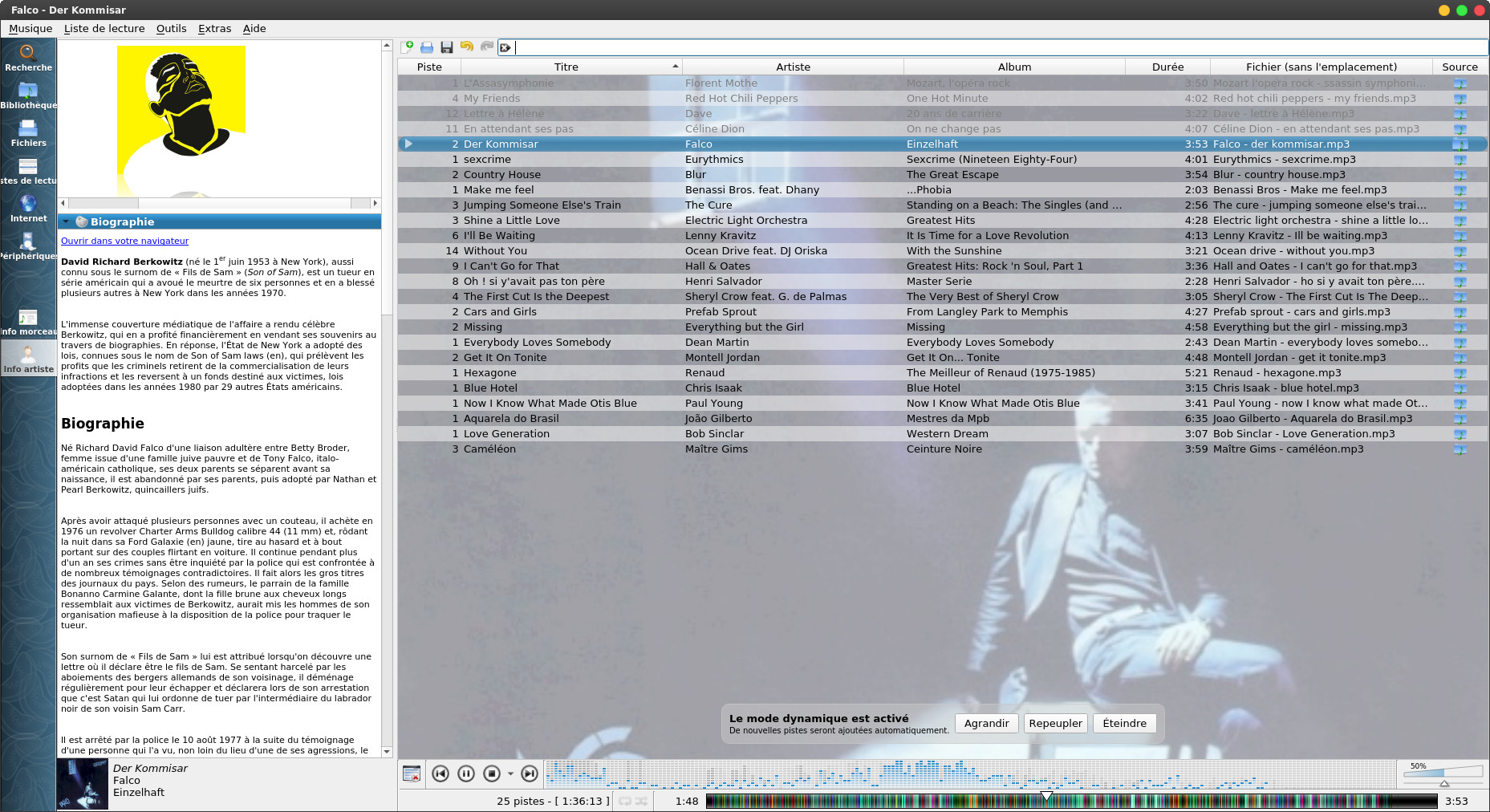
et avec les modes de lecture intelligente qui font la force de Clementine.
maintenant il faudra installer un séquenceur midi, j'ai choisi TiMidity++ pour faire simple
on prendra les packages par défaut de la distribution, sur une
mageia ce sont les packages timidity-patch-freepats
et TiMidity++, on créera également le lien suivant
ln -s /etc/alternatives/timidity.cfg /etc
on lance le séquenceur en tapant :
timidity -iA -Os
voilà le résultat
Requested buffer size 32768, fragment size 8192
ALSA pcm 'default' set buffer size 32768, period size 8192 bytes
TiMidity starting in ALSA server mode
Opening sequencer port: 128:0 128:1 128:2 128:3
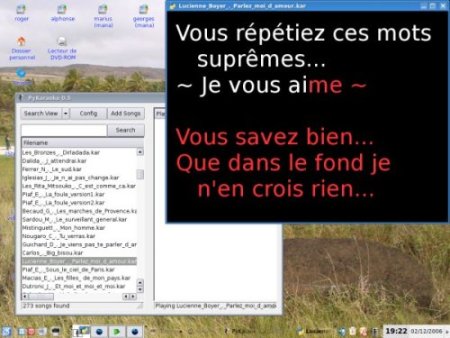
Voilà ce que ça donne en image en invoquant la commande pykaraoke maintenant:
dmidiplayer ou plutôt Drumstick Multiplatform MIDI File Player est un logiciel de lecture de fichier .mid, .kar mais également fichiers .RMI (RIFF MIDI), et .WRK (Cakewalk). On peut l'interfacer à des périphériques MIDI ou des logiciels de MAO.
Avant de l'installer il y a un certain nombre de logiciels à installer. On commencera par sonyvox qui est un synthétiseur de tables d'onde, qu'on trouvera ici https://github.com/pedrolcl/sonivox. On décompresse l'archive en tapant
tar xvfz sonivox-4.0.1.tar.gz
cela donne le répertoire sonivox-4.0.1
dans lequel on tape
mkdir build
cd build
cmake ..
make
puis en tant que root
make install
On installera ensuite Drumstrick qui est une bibliothèque MIDI, le site officiel est https://drumstick.sourceforge.io/. On installera d'abord les packages lib64qt6uitools-devel, lib64fluidsynth-devel et lib64qt6test-devel. On décompresse l'archive en tapant
tar xvfj drumstick-2.11.0.tar.bz2Dans le répertoire drumstick-2.11.0 on tape
mkdir build
cd build
cmake ..
make
puis en tant que root make install
On en arrive enfin à dmidiplayer, le site officiel est https://sourceforge.net/projects/dmidiplayer/. On décompresse l'archive en tapant
tar xvfj dmidiplayer-1.7.5.tar.bz2
Dans le répertoire dmidiplayer-1.7.5 on tape
mkdir build
cd build
cmake ..
voilà le résultat
-- Drumstick MIDI File Player v1.7.5
install prefix: /usr/local
Build configuration:
Operating System: Linux
Processor: x86_64
Qt Version: 6.10.0
Drumstick Version: 2.11.0
Uchardet Version: 0.0.8
-- Found Git: /bin/git (found version "2.52.0")
-- Configuring done (0.8s)
-- Generating done (0.0s)
-- Build files have been written to:
/home/olivier/compilation/linux/multimedia/dmidiplayer-1.7.5/build
on tape ensuite make puis en tant que root make install
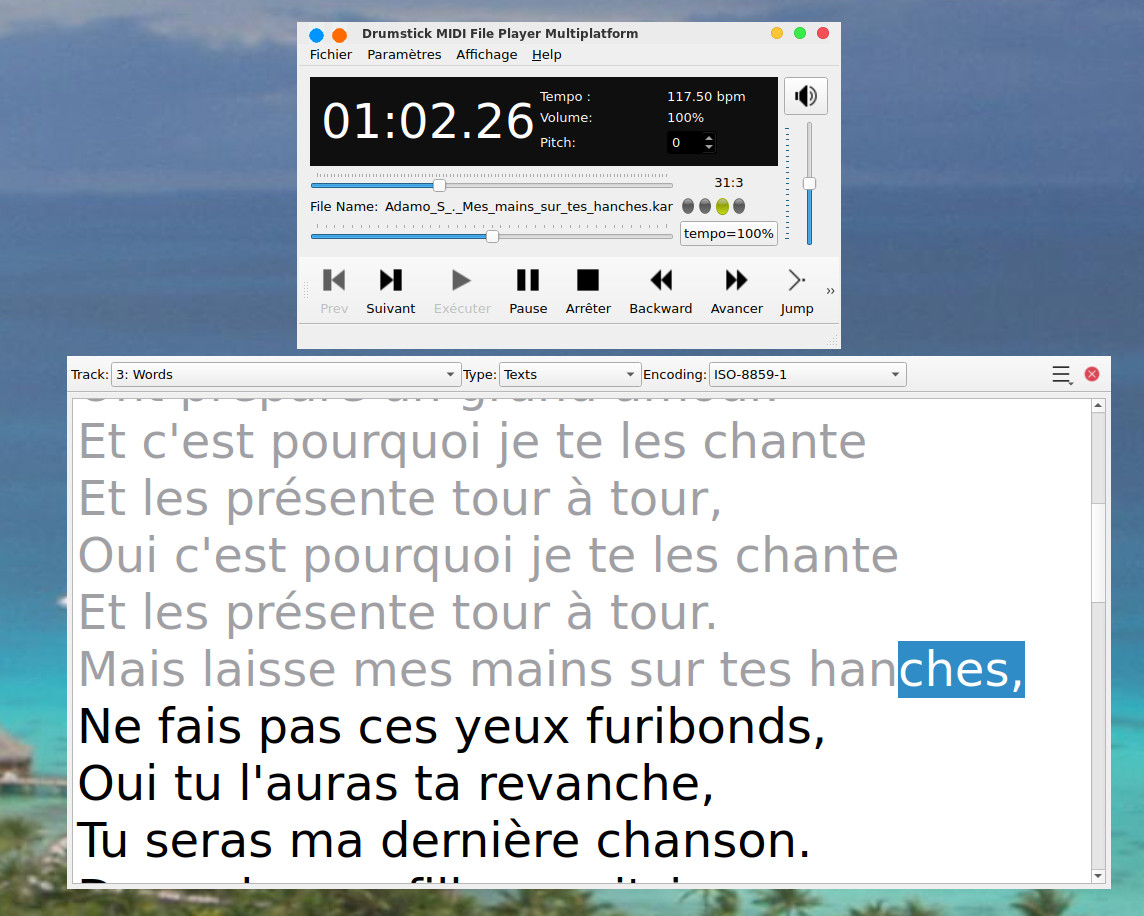
Et voilà le résultat
on tape ensuite
./autogen.shCouplé avec audacious, cela donne cela
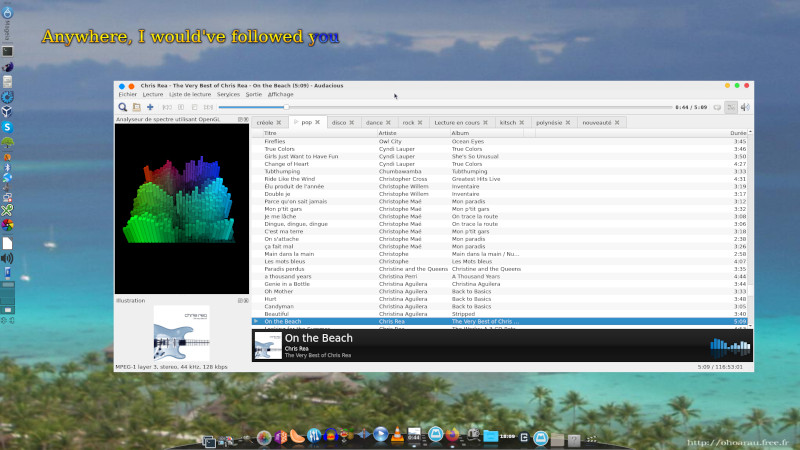
L'affichage du texte est évidemment synchronisé avec la chanson. On peut le configurer pour afficher 2 lignes et voir en avance de phase celle à venir.
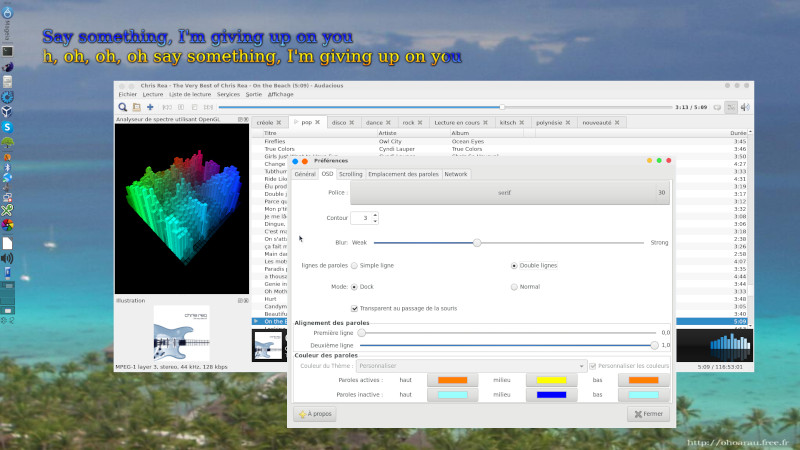
Le scrolling est également possible
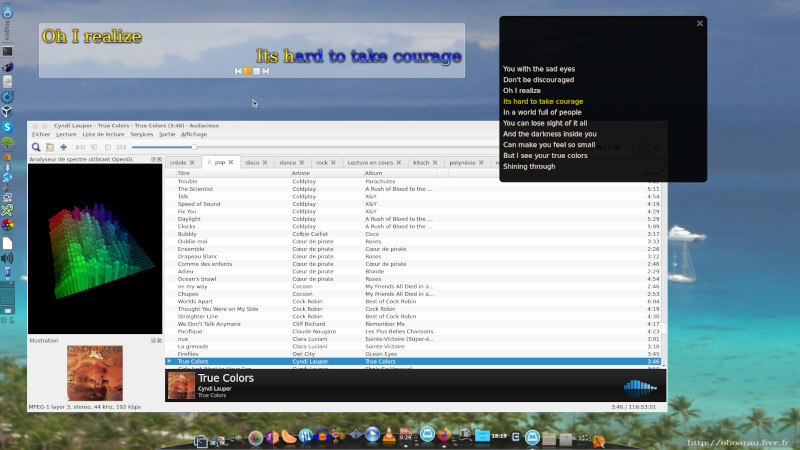
Voilà, vous n'avez plus d'excuses pour faire la fête sous linux !
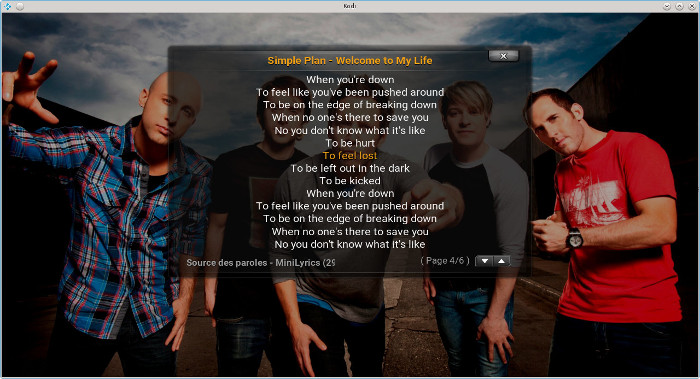
KODI en plus d'intégrer un lecteur audio classique
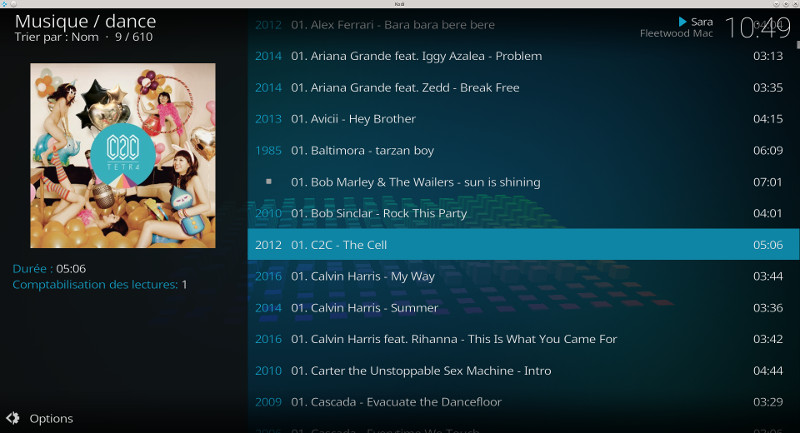
intègre également un module karaoke de base
| [Retour à
l'accueil] |
[Retour haut de la page] |